
Tools Required
-
Phillips Screwdriver
-
1/4-inch Ratchet
-
11/32-inch Socket
-
5/16-inch Socket
-
1/4-inch Stubby Allen Socket
-
9/16-inch Open End Wrench
-
7/8-inch Open End Wrench
-
Side Cutters
-
Slip Joint Pliers
Required Parts
-
1/4-inch Pipe x 1/4-inch Push Lock Straight (Qty 2 for Single Drive)
-
1/4-inch Pipe x 1/4-inch Push Lock 90-degree Swivel (Qty 2 for Dual Drive)
-
Male 16-18 AWG Spade Connectors
-
Zip Ties
Vehicle Preparation
-
Positioning: Park the unit on a level surface with enough clearance to access both sides of the cab.
-
Secure the Unit: Chock the wheels.
-
Electrical Safety: Turn off the battery disconnect switch (typically located on the left-hand side, rear of the steer axle).
-
Air System Depletion: Open all three air drain valves to fully exhaust the air system.
Procedure
Part 1: Removing Existing Components
-
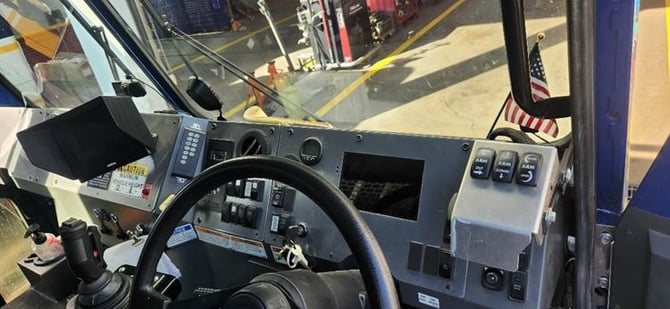
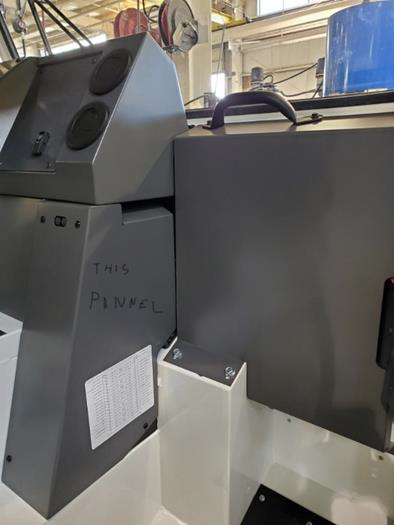
Remove the six screws securing the tablet panel to the dash structure.
-
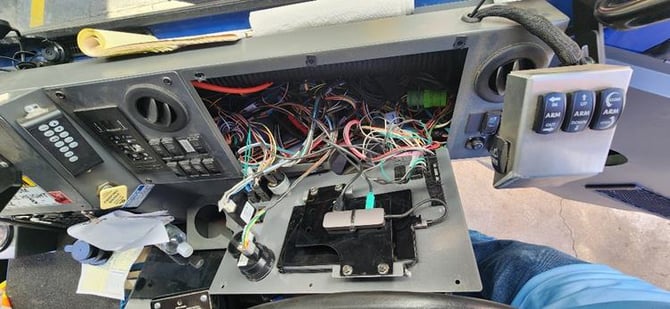
Unplug all electrical connections from gauges, switches, and the USB hub.
-
Remove any body-builder-installed gauges or accessories.
-
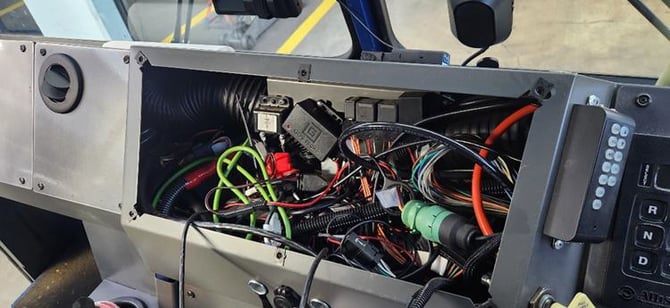
Remove the six screws holding the center dash panel in place.
-
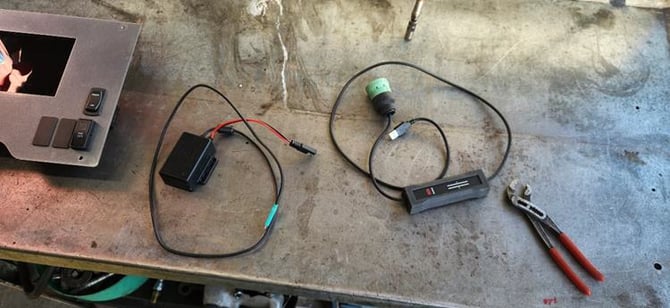
Remove the power supply and Kvaser cable from the center dash panel.
-
Remove the four screws for the fuse panel cover in the right-hand footwell.
Part 2: Modifying Air Manifolds
-
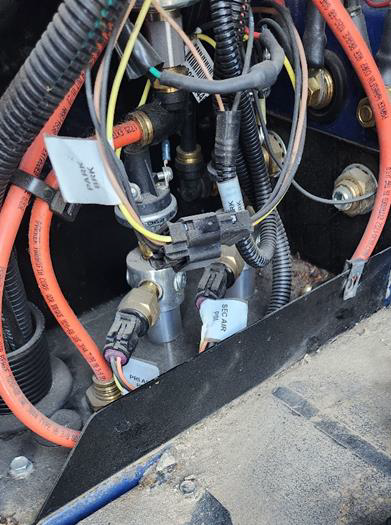
Locate the two silver air manifolds on the floor behind the fuse panel cover.
-
Disconnect wiring and remove the two pressure transducers and pipe bushings. Discard these.
-
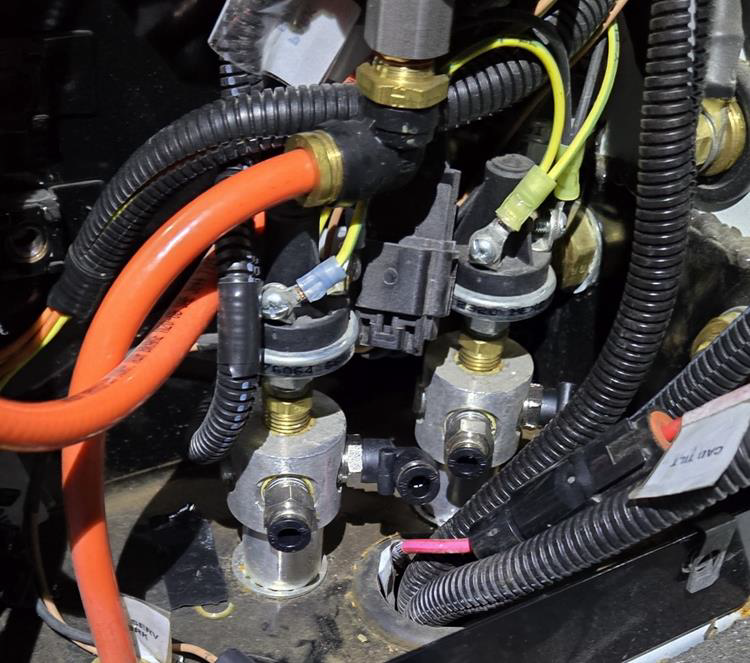
Single Drive: Install a 1/4-inch pipe x 1/4-inch push lock fitting into the transducer ports.
-
Dual Drive: Remove an additional pipe plug from each manifold and install a 1/4-inch pipe x 1/4-inch push lock 90-degree swivel.
-
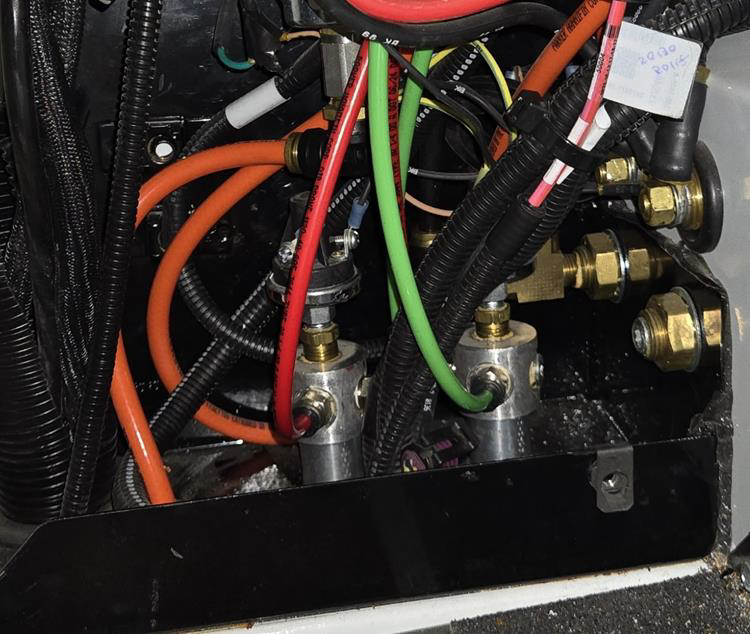
Route new airlines to the dash opening (7 feet for LH drive, 4 feet for RH drive).
-
Install the Green airline into the Forward manifold and the Red airline into the Rear manifold.
-
Verify battery cable pass-throughs are torqued to 15 lbs.
Part 3: Installing Analog Dash Panel
-
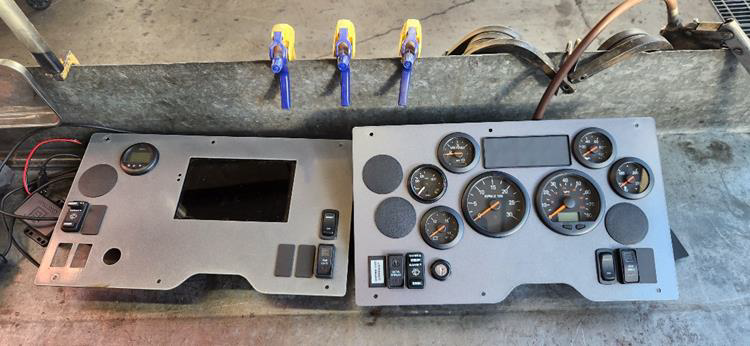
Swap over switches, gauges, or lights from the original panel to the new analog panel.
-
Relocate non-OEM indicators to available spots if necessary.
-
Install the ignition switch with the flat cutout facing right.
-
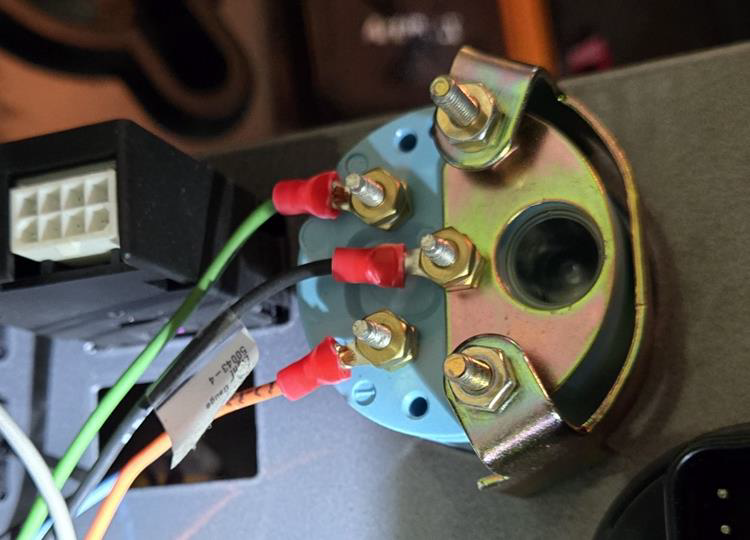
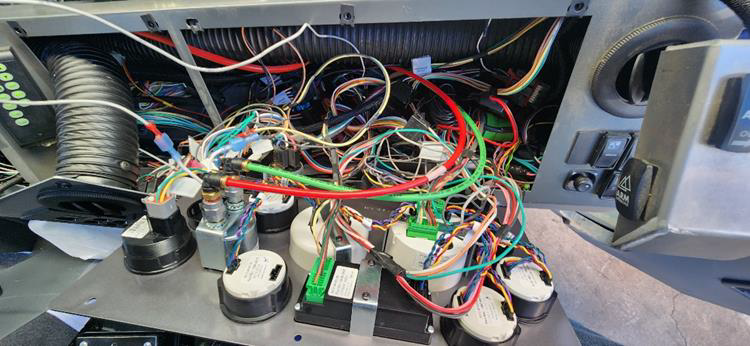
Reconnect wiring to switches and gauges.
-
Plug in the three green Molex connectors and the two wires labeled "Air Gauges."
-
Connect the Green airline to the lower port and the Red airline to the upper port of the air gauge.
-
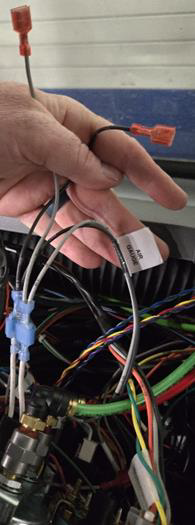
If the gauge light lacks spade connectors, install 16-18 AWG male spades to tie into the dash wiring.
Part 4: Dual Drive Specific Steps
-
Run an additional pair of wires from the air gauge lamp wiring to the second air gauge.
-
Run daisy chain jumper (p/n 365-1565) between the left and right panel gauges.
-
Connect the green Molex connector on the passenger side to the indicator lamp assembly.
Part 5: Final Validation
-
Reinstall all dash panels and secure the new analog cluster.
-
Close air drain valves and restore battery power.
-
Key ON: Verify gauge sweep and indicator lamp illumination.
-
Start Engine: Build air pressure and confirm primary/secondary gauge operation.
-
Leak Check: Use soapy water on all new air fittings to confirm no leaks exist.
-
Road test the vehicle to ensure all features function under load.
Engineering Notes
-
Unused Connectors: You may find labels like "Work Brake" or "Retarder" that are unconnected. This is normal; reassemble switches as they were originally found.
-
Component Removal: Always remove Kvaser cables, J1939 splitters, and power supplies. These are not used in analog setups and create clutter that interferes with proper panel fitment.
-
Speedometer Verification: Speedo heads are fuel-specific. Ensure you have the correct unit:
-
Diesel: 139F-0047
-
CNG: 139F-0048
-
Dual Drive RH (Receive Only): 139F-0024
-